 1 /
5
1 /
5
Sale of Goods Agreement (B2B) — Word & PDF Template
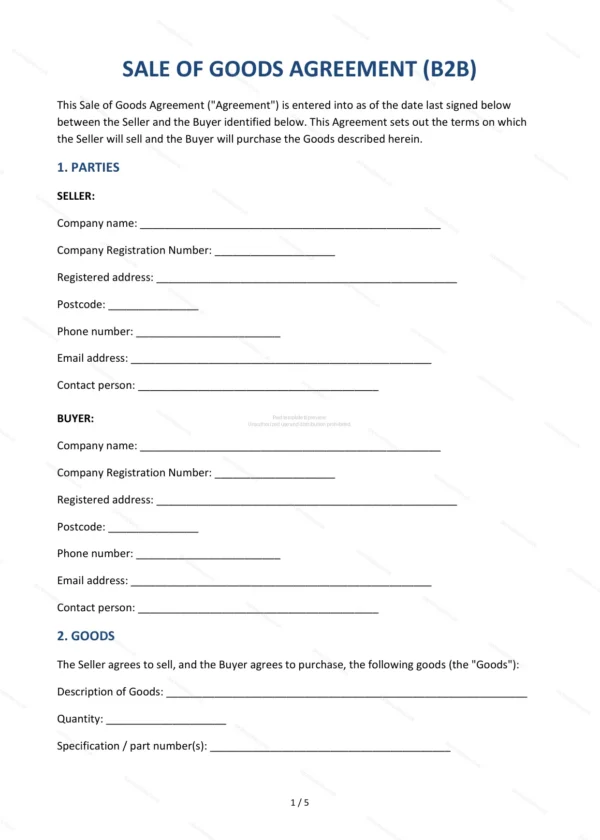
Business-to-business sale of goods agreement covering the goods, price, payment, delivery, risk and title, inspection, warranty and limitation of liability.
Compatible with:


Your card details go straight to Stripe, our payment processor. They are never stored on this site. Checkout takes a minute and needs no account.
This Sale of Goods Agreement (B2B) governs the supply of goods from one business to another in England and Wales. It sets out the commercial terms — price, payment, delivery, risk and title — and the warranties and liability position between the parties.
Who is this template for?
For manufacturers, wholesalers, suppliers and trade buyers entering into a business-to-business sale of goods, whether a one-off order or a recurring supply arrangement.
What does the template include?
The agreement is organised into clearly numbered sections:
- Parties — the seller and the buyer.
- Goods — a description of the goods sold.
- Price — the price and any taxes.
- Payment — tick-box payment options, late payment interest and the right to suspend deliveries.
- Delivery — tick-box delivery terms (DDP, EXW or FCA), estimated dates and part deliveries.
- Risk and Title — when risk and ownership pass.
- Inspection and Acceptance — checking and accepting goods.
- Warranty — a 12-month warranty with repair, replace or refund as the buyer’s sole remedy.
- Limitation of Liability — caps and exclusions.
- Force Majeure — events beyond reasonable control.
- Termination — the seller’s right to terminate for non-payment, breach or insolvency.
- Governing Law — England & Wales jurisdiction.
- Entire Agreement — the whole agreement.
- Signatures — execution by the parties.
Easy to customise
The template works in Microsoft Word, Google Docs and LibreOffice. Fill in the highlighted fields, set the goods, price and delivery terms and adjust the clauses before signing.
Format and scope
Provided as an editable Word (.docx) file and a printable PDF in A4 size, drafted for use in England and Wales.
How to edit the template
- Download the DOCX file after purchase
- Open it in Word, Google Docs, LibreOffice or another DOCX editor
- Fill in the parties' details in the marked fields
- Edit the terms and text to match what has been agreed
- Print it for signing or send it digitally