 1 /
5
1 /
5
Deed of Novation — Word & PDF Template
A deed of novation to replace one party to an existing commercial contract with a new one, with the continuing party's consent and accrued-liability options, to edit for England and Wales.
Compatible with:


Your card details go straight to Stripe, our payment processor. They are never stored on this site. Checkout takes a minute and needs no account.
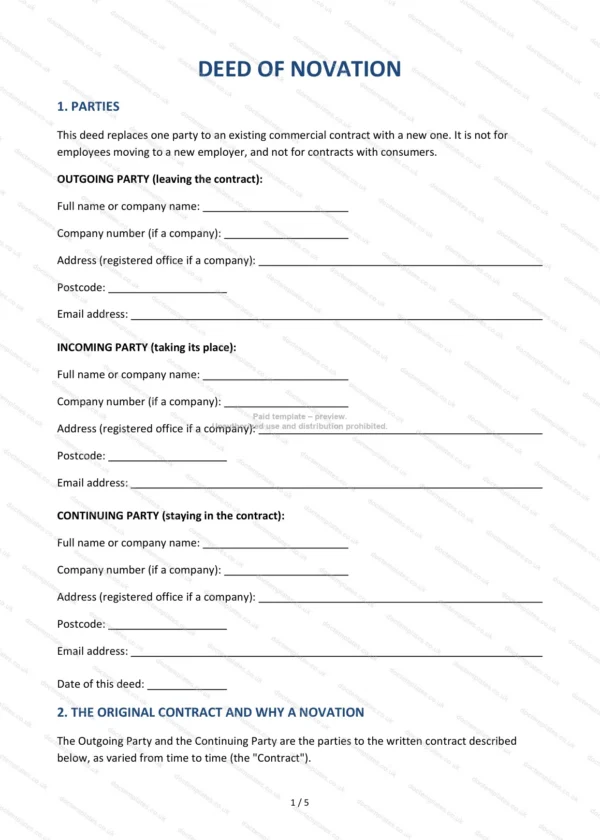
This deed of novation template replaces one party to an existing commercial contract with a new party. It is a three-way deed signed by the outgoing party, the incoming party and the continuing party, so that the incoming party takes the outgoing party’s place under the contract.
Who is this template for?
It suits businesses or self-employed people where one side of a contract is being taken over by another. As the document itself states, it is not for employees moving to a new employer, and not for contracts with consumers.
What does the template include?
The document is made up of numbered sections:
- Parties — the Outgoing, Incoming and Continuing Parties, with company numbers where relevant, and the date of the deed.
- The Original Contract and Why a Novation — the contract details and a short explanation of why a novation is used rather than an assignment.
- The Novation — the Effective Date and how the incoming party takes the outgoing party’s place, with the continuing party’s acceptance and releases.
- Liabilities and Rights Already Accrued — tick one: the Incoming Party takes over earlier liabilities and rights, or the Outgoing Party keeps them; plus a space for guarantees or security.
- Indemnity from the Outgoing Party (Optional) — a tick-box indemnity with an entry for a cap or “no limit”.
- Authority and Confirmations — each party’s confirmation of authority, the outgoing party’s confirmations about the contract, and the continuing party’s consent.
- General — no consideration needed, the contract continues, entire agreement, changes in writing, and governing law of England and Wales.
- Execution — signature blocks for all three parties with a witness or second signatory.
Easy to customise
The template opens in Microsoft Word, Google Docs and LibreOffice. Fill in the highlighted fields, enter the contract details, tick the accrued-liabilities option and decide whether to use the optional indemnity and edit any clause to suit your arrangement.
Format and scope
Download instantly as an editable Word (.docx) file and a PDF, formatted to A4. Written in plain British English and drafted for use in England and Wales.
How to edit the template
- Download the DOCX file after purchase
- Open it in Word, Google Docs, LibreOffice or another DOCX editor
- Fill in the parties' details in the marked fields
- Edit the terms and text to match what has been agreed
- Print it for signing or send it digitally