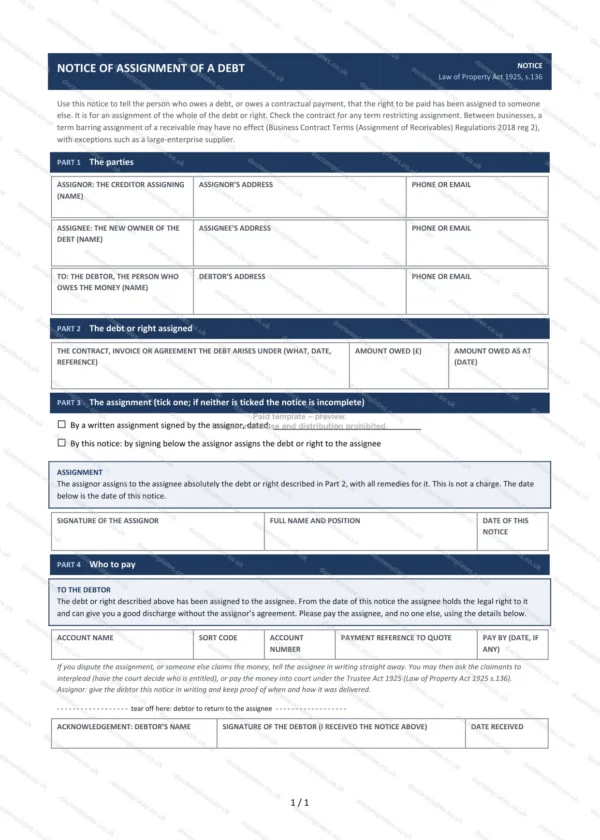
Notice of Assignment of a Debt — Word & PDF Template
One page that tells a debtor their debt or contract payment now belongs to someone else, and where to pay it. It sets out the assignment wording and includes a tear-off acknowledgement.
Compatible with:
Drafted for England & Wales and checked against current UK legislation. Last reviewed November 2026. How we check


Your card details go straight to Stripe, our payment processor. They are never stored on this site. Checkout takes a minute and needs no account.
Have you sold or transferred a debt? This notice of assignment tells the debtor, in writing, that the right to be paid now belongs to someone else. It also says where to pay. The document includes assignment wording for the assignor to sign. That wording can act as both the written assignment and the notice. Everything fits on one A4 page.
Who should use this notice?
This covers businesses and individuals who sell or transfer a debt or invoice, and buyers of debts who need the debtor to pay them.
What is in the notice?
- The parties: assignor, assignee and debtor.
- The debt or right assigned: the contract or invoice, its date and the amount owed as at a date.
- The assignment: a tick for an earlier written assignment or for this notice itself, with absolute assignment wording above the assignor’s signature.
- Who to pay: payment instructions and bank details, and what the debtor can do if others claim the money (interpleader, or payment into court).
- Restrictions: between businesses, a contract term barring assignment of a receivable may have no effect, with exceptions.
- Acknowledgement: a tear-off section for the debtor to sign and return.
Scope
Use it to assign the whole of a debt or right. Check the contract for any term restricting assignment first. It is not for assigning part of a debt, or for a charge over a debt.
Format
Download instantly as an editable Word (.docx) file and a PDF, formatted to A4. It opens in Microsoft Word, Google Docs and LibreOffice. You can tick the boxes with a click in Word and LibreOffice, or by hand on paper.
How to edit the template
- Download the DOCX file after purchase
- Open it in Word, Google Docs, LibreOffice or another DOCX editor
- Fill in the parties' details in the marked fields
- Edit the terms and text to match what has been agreed
- Print it for signing or send it digitally