 1 /
5
1 /
5
Joint Venture Partnership Agreement — Word & PDF Template
Unincorporated joint venture (partnership) agreement for businesses collaborating on a project without forming a company, covering contributions, profit sharing and management.
incl. VAT
Compatible with:
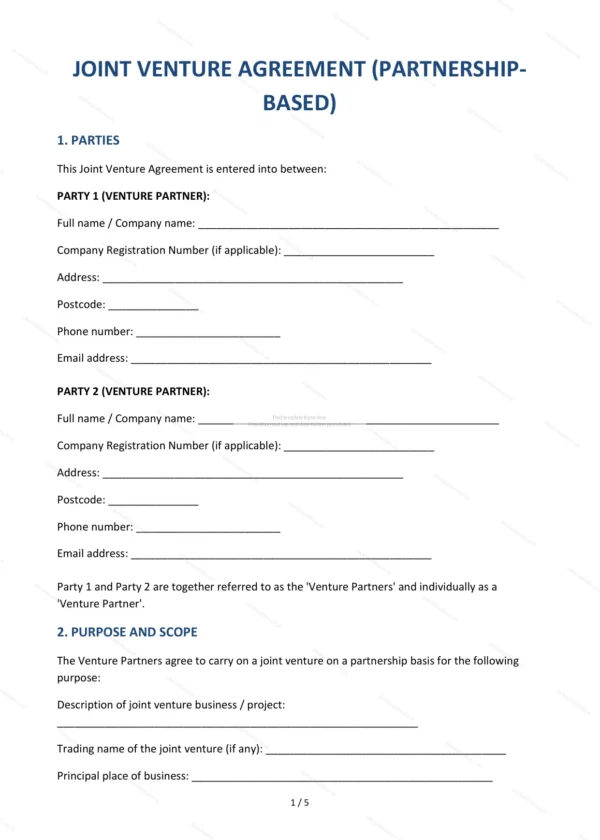
This Joint Venture Partnership Agreement is for two or more parties who want to collaborate on a project as an unincorporated joint venture, without forming a separate company. It sets out each party’s contribution, how profits and losses are shared, and how the venture is managed in England and Wales.
Who is this template for?
Ideal for businesses, sole traders and professionals pooling resources for a specific project or contract, such as a property development, bid or commercial collaboration, where a contractual JV is simpler than incorporation.
What does the template include?
The agreement covers all the essentials in clearly numbered sections:
- Parties — the joint venture partners.
- Purpose and Scope — the aim and boundaries of the venture.
- Contributions — capital, assets and effort provided by each party.
- Profit and Loss Sharing — how returns and losses are split.
- Management — decision-making and day-to-day running.
- Banking and Finances — handling of money and accounts.
- Intellectual Property — ownership of IP created or contributed.
- Confidentiality — protection of shared information.
- Liability — allocation of responsibility between the parties.
- Term and Termination — duration and ending of the venture.
- Governing Law — England & Wales jurisdiction.
- Signatures — execution by the parties.
Easy to customise
The template works in Microsoft Word, Google Docs and LibreOffice. Fill in the highlighted fields, tick the relevant options and tailor the clauses to your project before signing.
Format and scope
Provided as an editable Word (.docx) file and a ready-to-print PDF in A4 size, drafted for use in England and Wales.
How to edit the template
- Download the DOCX file after purchase
- Open it in Word, Google Docs, LibreOffice or another DOCX editor
- Fill in the parties' details in the marked fields
- Edit the terms and text to match what has been agreed
- Print it for signing or send it digitally