 1 /
6
1 /
6
Shareholders’ Agreement — Word & PDF Template
A UK shareholders' agreement covering share capital, board control, reserved matters, dividends, pre-emption, drag and tag-along rights and deadlock.
incl. VAT
Compatible with:
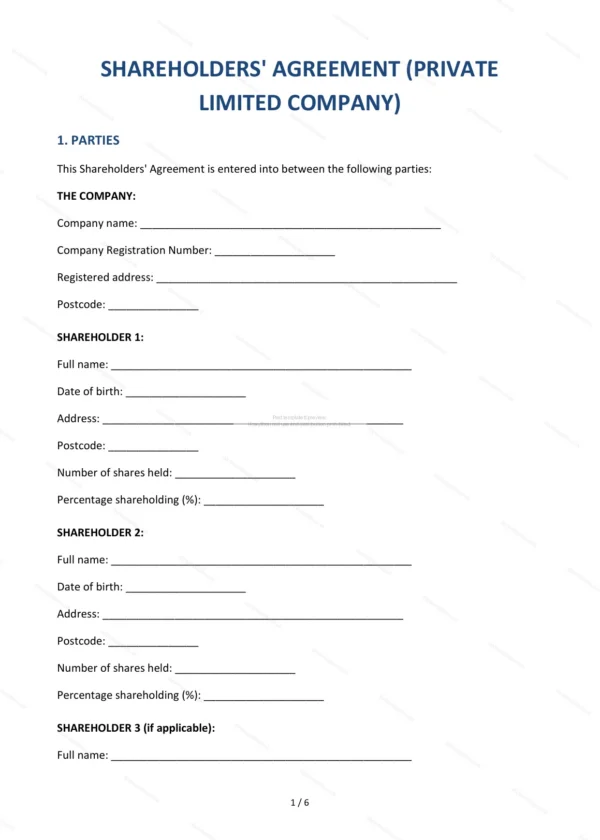
This Shareholders’ Agreement governs the relationship between the owners of a private limited company. It covers control of the board, reserved matters, dividend policy, share transfers and exit rights, helping co-founders and investors protect their interests and manage the company together in England and Wales.
Who is this template for?
It is designed for co-founders, investors and shareholders in private companies who want to agree how the company is run and how shares can be transferred. It is especially useful for joint ventures, start-ups and family companies with two or more owners.
What does the template include?
The agreement is fully structured and covers the essential shareholder protections:
- Parties — the company and its shareholders.
- Background and Purpose — context and aims of the agreement.
- Share Capital and Shareholdings — the share structure and ownership.
- Management and Directors — board appointments and control.
- Shareholder Meetings and Voting — how decisions are taken.
- Reserved Matters — decisions requiring shareholder approval.
- Dividend Policy — how profits are distributed.
- Pre-Emption Rights on Share Transfer — first refusal on share sales.
- Drag-Along and Tag-Along Rights — rights on a sale of the company.
- Deadlock — resolving shareholder deadlock.
- Confidentiality — protection of company information.
- Non-Compete and Non-Solicitation — restrictions on shareholders.
- Term and Termination — duration and ending the agreement.
- Governing Law — England and Wales jurisdiction.
- Entire Agreement — the contract as the complete agreement.
- Signatures — execution by the parties.
Easy to customise
The template works in Microsoft Word, Google Docs and LibreOffice. Simply fill in the highlighted fields, tick the relevant checkboxes and edit any clauses to suit your arrangement. No special software is required.
Format and scope
The document downloads as an editable Word (.docx) file and a ready-to-print PDF, formatted to A4. It is drafted for use in England and Wales with light, general legal references.
How to edit the template
- Download the DOCX file after purchase
- Open it in Word, Google Docs, LibreOffice or another DOCX editor
- Fill in the parties' details in the marked fields
- Edit the terms and text to match what has been agreed
- Print it for signing or send it digitally