 1 /
4
1 /
4
Volunteer Agreement — Word & PDF Template
A UK volunteer agreement for charities and organisations, recording the volunteer role, time commitment, expenses and responsibilities — not an employment contract.
incl. VAT
Compatible with:
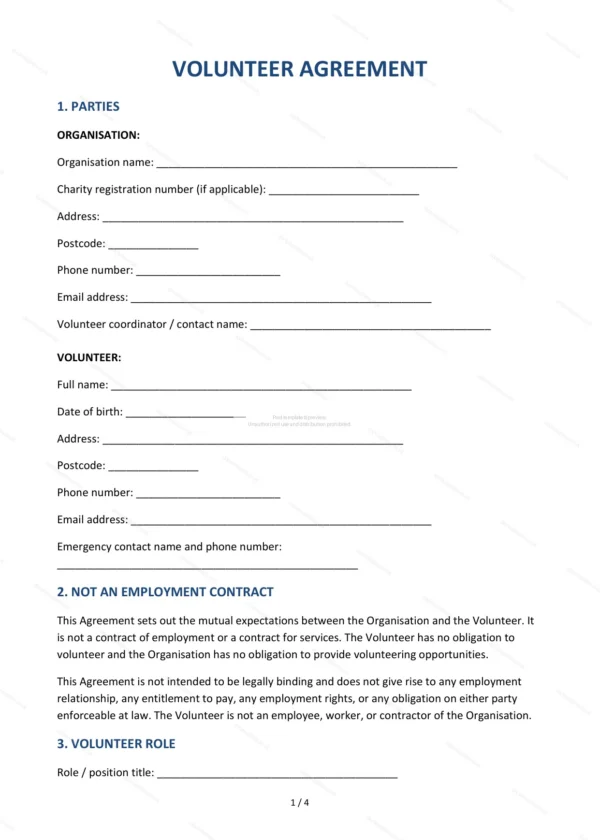
This Volunteer Agreement records the basis on which a volunteer helps an organisation, while making clear it is not a contract of employment. It covers the role, time commitment, expenses and responsibilities, making it ideal for charities, community groups and not-for-profits in England and Wales.
Who is this template for?
It is designed for charities, community organisations and not-for-profits that engage volunteers, and for the volunteers themselves. It sets expectations clearly while deliberately avoiding creating employment or worker status.
What does the template include?
The agreement is fully structured and covers the key points of a volunteer arrangement:
- Parties — the organisation and the volunteer.
- Not an Employment Contract — confirming the non-contractual basis.
- Volunteer Role — the role and tasks.
- Time Commitment — expected hours and flexibility.
- Expenses — reimbursement of out-of-pocket costs.
- Volunteer Responsibilities — what the volunteer agrees to do.
- Organisation Responsibilities — support and induction provided.
- Health and Safety — keeping the volunteer safe.
- Confidentiality — protection of confidential information.
- Ending the Arrangement — how either side can end it.
- Governing Law — England and Wales jurisdiction.
- Signatures — execution by both parties.
Easy to customise
The template works in Microsoft Word, Google Docs and LibreOffice. Simply fill in the highlighted fields, tick the relevant checkboxes and edit any clauses to suit your arrangement. No special software is required.
Format and scope
The document downloads as an editable Word (.docx) file and a ready-to-print PDF, formatted to A4. It is drafted for use in England and Wales with light, general legal references.
How to edit the template
- Download the DOCX file after purchase
- Open it in Word, Google Docs, LibreOffice or another DOCX editor
- Fill in the parties' details in the marked fields
- Edit the terms and text to match what has been agreed
- Print it for signing or send it digitally