 1 /
5
1 /
5
Outsourcing Agreement — Word & PDF Template
Outsourcing agreement for delegating a business function to a supplier, covering service levels, transition, staffing, data protection, audit rights and exit.
incl. VAT
Compatible with:
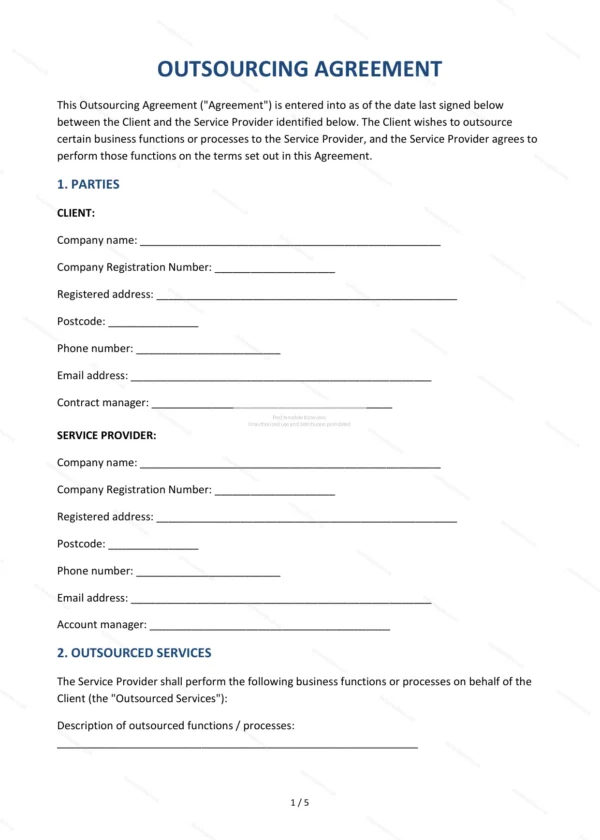
This Outsourcing Agreement governs the delegation of a business function or process to an external supplier in England and Wales. It covers service levels, transition, data security and exit arrangements so a long-term outsourcing relationship is properly controlled.
Who is this template for?
For businesses outsourcing IT, payroll, customer service, back-office or other functions, and the suppliers providing them, who need a robust framework covering performance, data and the eventual handover.
What does the template include?
The agreement is organised into clearly numbered sections:
- Parties — the customer and the supplier.
- Outsourced Services — the functions being outsourced.
- Term — the length of the agreement.
- Transition and Mobilisation — moving the function across.
- Service Levels — performance standards.
- Staffing and Subcontracting — people and subcontractors.
- Fees and Payment — charges and payment terms.
- Change Management — handling changes to scope.
- Intellectual Property — ownership of IP.
- Confidentiality and Data Security — protecting information.
- Data Protection — UK GDPR compliance.
- Business Continuity — resilience and recovery.
- Audit Rights — the customer’s right to audit.
- Limitation of Liability — caps and exclusions.
- Termination — how the agreement ends.
- Exit and Transition Out — handover on termination.
- Governing Law — England & Wales jurisdiction.
- Signatures — execution by the parties.
Easy to customise
The template works in Microsoft Word, Google Docs and LibreOffice. Fill in the highlighted fields, set the service levels and fees and adjust the clauses before signing.
Format and scope
Provided as an editable Word (.docx) file and a ready-to-print PDF in A4 size, drafted for use in England and Wales.
How to edit the template
- Download the DOCX file after purchase
- Open it in Word, Google Docs, LibreOffice or another DOCX editor
- Fill in the parties' details in the marked fields
- Edit the terms and text to match what has been agreed
- Print it for signing or send it digitally