 1 /
4
1 /
4
Zero Hours Contract — Word & PDF Template
A UK zero hours contract for casual workers with no minimum hours, covering the nature of the engagement, pay, holiday pay, exclusivity and termination.
Compatible with:


Your card details go straight to Stripe, our payment processor. They are never stored on this site. Checkout takes a minute and needs no account.
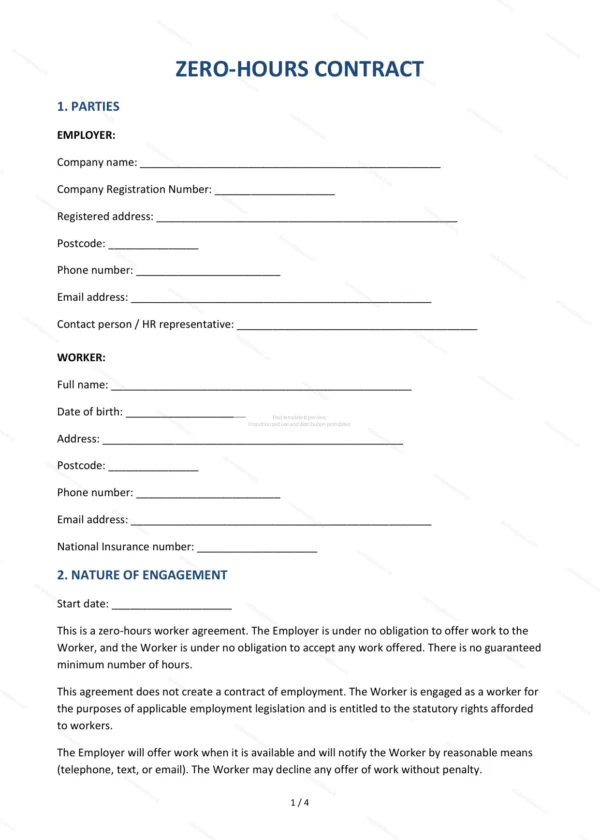
This Zero Hours Contract is used to engage a worker on a casual basis with no minimum hours. It covers the nature of the engagement, pay, holiday pay and termination, and states that no exclusivity applies. It suits employers using flexible, casual staff in England and Wales.
Who is this template for?
It is designed for employers in hospitality, retail, care and other sectors that use casual or flexible workers, and for the workers themselves. It clarifies that there is no obligation to offer or accept work while protecting basic worker rights.
What does the template include?
The contract is fully structured and covers the key terms of a zero hours engagement:
- Parties — the employer and the worker.
- Nature of Engagement — the casual, no-minimum-hours basis, with worker (not employee) status.
- Hours and Place of Work — how work is offered, where, and shift notice of at least 24 hours where possible.
- Remuneration — rate of pay and payment.
- Holiday Pay — 12.07% accrual on hours worked, a tick-box choice of when it is paid, and no payment in lieu until the engagement ends.
- Sickness — sickness and any sick pay.
- Exclusivity — freedom to work elsewhere.
- Termination — how the arrangement can end.
- Pension — auto-enrolment and pension rights.
- Confidentiality — protection of confidential information.
- Health and Safety — safety obligations.
- Governing Law and Jurisdiction — England and Wales jurisdiction.
- Signatures — execution by both parties.
Easy to customise
The template works in Microsoft Word, Google Docs and LibreOffice. Simply fill in the highlighted fields, tick the relevant checkboxes and edit any clauses to suit your arrangement. No special software is required.
Format and scope
The document downloads as an editable Word (.docx) file and a printable PDF, formatted to A4. It is drafted for use in England and Wales with light, general legal references.
How to edit the template
- Download the DOCX file after purchase
- Open it in Word, Google Docs, LibreOffice or another DOCX editor
- Fill in the parties' details in the marked fields
- Edit the terms and text to match what has been agreed
- Print it for signing or send it digitally