 1 /
4
1 /
4
Reseller Agreement — Word & PDF Template
Reseller agreement appointing a reseller to buy and resell a vendor's products, covering pricing, margins, orders, delivery, IP and termination.
Compatible with:


Your card details go straight to Stripe, our payment processor. They are never stored on this site. Checkout takes a minute and needs no account.
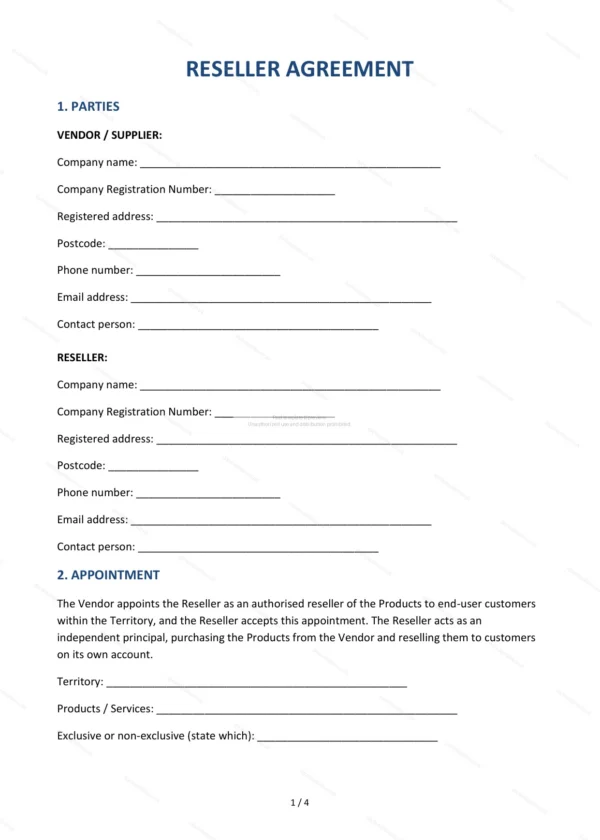
This Reseller Agreement governs the appointment of a reseller to purchase and resell a vendor’s products in England and Wales. It sets out pricing and margins, ordering, delivery and the obligations of both vendor and reseller.
Who is this template for?
For vendors and suppliers appointing resellers, and for resellers buying to resell — including software, hardware and product resellers operating through a channel.
What does the template include?
The agreement is organised into clearly numbered sections:
- Parties — the vendor and the reseller.
- Appointment — the reseller buys and resells on its own account within a territory, exclusive or non-exclusive as you state.
- Reseller Pricing and Margins — the reseller discount from list price; the reseller sets its own end-customer prices.
- Orders and Payment — how orders are placed and paid.
- Delivery and Title — delivery and when title passes.
- Reseller’s Obligations — the reseller’s responsibilities.
- Vendor’s Obligations — the vendor’s responsibilities.
- Intellectual Property — use of the vendor’s IP and brand.
- Confidentiality — protection of information.
- Warranties and Liability — warranties and limits.
- Term and Termination — duration and ending.
- Governing Law — England & Wales jurisdiction.
- Entire Agreement — the whole agreement.
- Signatures — execution by the parties.
Easy to customise
The template works in Microsoft Word, Google Docs and LibreOffice. Fill in the highlighted fields, set the pricing and margins and adjust the clauses before signing.
Format and scope
Provided as an editable Word (.docx) file and a printable PDF in A4 size, drafted for use in England and Wales.
How to edit the template
- Download the DOCX file after purchase
- Open it in Word, Google Docs, LibreOffice or another DOCX editor
- Fill in the parties' details in the marked fields
- Edit the terms and text to match what has been agreed
- Print it for signing or send it digitally