 1 /
4
1 /
4
Apprenticeship Agreement — Word & PDF Template
Apprenticeship agreement template covering training, hours, pay, end-point assessment and notice for employers taking on apprentices under England & Wales law.
incl. VAT
Compatible with:
This apprenticeship agreement sets out the terms of employment between an employer and an apprentice, alongside the training they will receive. It helps employers take on apprentices on a clear, compliant footing.
Who is this template for?
It is intended for employers, HR teams and apprentices in England and Wales. Use it when engaging an apprentice on an approved apprenticeship leading to an end-point assessment.
What does the template include?
The agreement is organised into numbered clauses covering the whole apprenticeship:
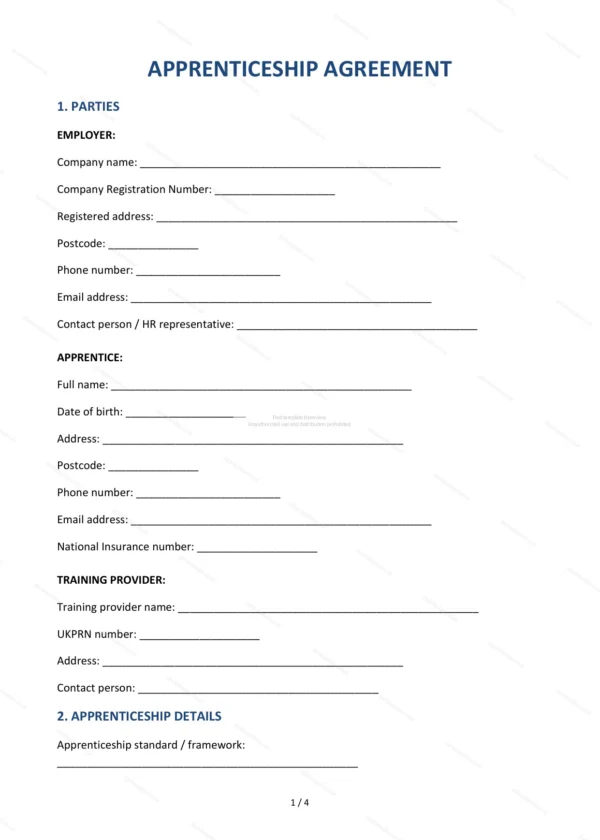
- Parties — identifies the employer and the apprentice.
- Apprenticeship details — the role, standard and duration.
- Training — the programme and off-the-job learning.
- Hours of work — working pattern and hours.
- Remuneration — pay and the apprentice rate.
- Holiday entitlement — annual leave.
- Sickness and sick pay — absence and statutory sick pay.
- Probationary period — initial review period.
- Notice period — ending the agreement.
- End-point assessment — completion and assessment.
- Pension — auto-enrolment arrangements.
- Conduct and performance — standards expected.
- Confidentiality — handling of confidential information.
- Governing law and jurisdiction — England and Wales.
- Signatures — execution by both parties.
Easy to customise
The template works in Microsoft Word, Google Docs and LibreOffice. Fill in the highlighted fields, edit clauses to suit the role and remove anything that does not apply.
Format and scope
Supplied as an editable Word (.docx) file and a ready-to-print PDF, formatted to A4. Written in plain British English with light, general references to England & Wales law.
How to edit the template
- Download the DOCX file after purchase
- Open it in Word, Google Docs, LibreOffice or another DOCX editor
- Fill in the parties' details in the marked fields
- Edit the terms and text to match what has been agreed
- Print it for signing or send it digitally