 1 /
5
1 /
5
Marketing Services Agreement — Word & PDF Template
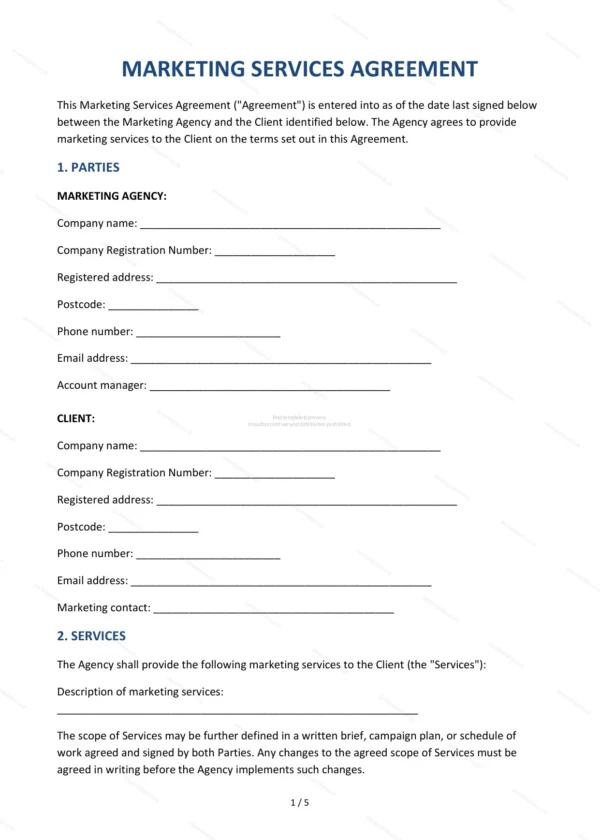
Marketing services agreement between an agency and a client, covering the scope of services, fees, intellectual property, approvals, data protection and termination.
incl. VAT
Compatible with:
This Marketing Services Agreement sets out the terms on which a marketing agency provides services to a client in England and Wales. It covers the scope of work, fees, ownership of marketing materials and the obligations on both sides.
Who is this template for?
Designed for marketing and creative agencies, freelancers and consultants, and the businesses that engage them for campaigns, content, branding and ongoing marketing support.
What does the template include?
The agreement is organised into clearly numbered sections:
- Parties — the agency and the client.
- Services — the marketing services to be provided.
- Term — the length of the engagement.
- Agency Obligations — what the agency will do.
- Client Obligations — what the client must provide.
- Fees, Expenses and Payment — charges and payment terms.
- Intellectual Property — ownership of work produced.
- Client Approvals and Compliance — sign-off and advertising rules.
- Confidentiality — protection of information.
- Data Protection — UK GDPR compliance.
- Limitation of Liability — caps and exclusions.
- Termination — how the agreement ends.
- Governing Law — England & Wales jurisdiction.
- Signatures — execution by the parties.
Easy to customise
The template works in Microsoft Word, Google Docs and LibreOffice. Fill in the highlighted fields, set the services and fees and adjust the clauses before signing.
Format and scope
Provided as an editable Word (.docx) file and a ready-to-print PDF in A4 size, drafted for use in England and Wales.
How to edit the template
- Download the DOCX file after purchase
- Open it in Word, Google Docs, LibreOffice or another DOCX editor
- Fill in the parties' details in the marked fields
- Edit the terms and text to match what has been agreed
- Print it for signing or send it digitally