 1 /
5
1 /
5
Service Level Agreement (SLA) — Word & PDF Template
A UK service level agreement defining service availability, response and resolution times, service credits and reporting between a supplier and customer.
incl. VAT
Compatible with:
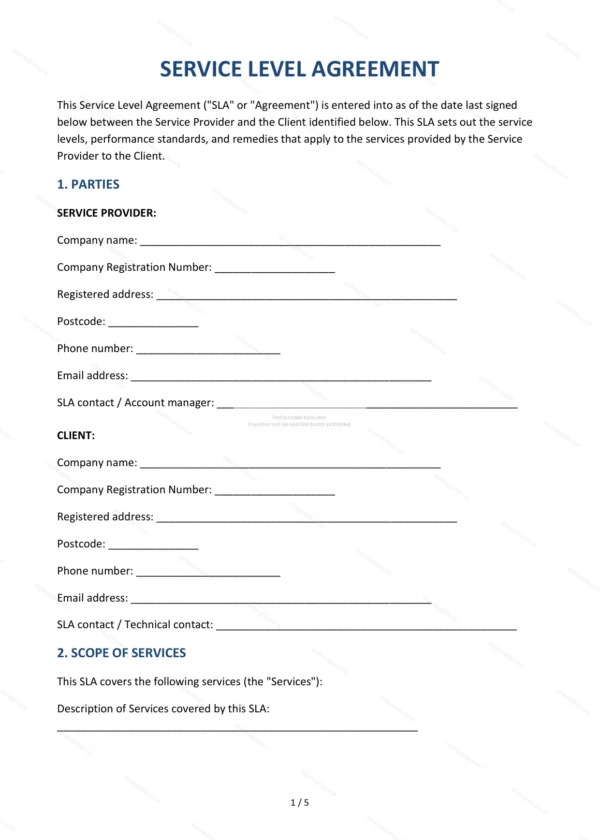
This Service Level Agreement (SLA) sets measurable standards for the services a supplier provides, including availability targets, response times and remedies where service falls short. It is ideal for IT, support and managed-service providers and their customers who want clear, enforceable performance commitments.
Who is this template for?
It is designed for service providers, IT and support companies, and their business customers who need to define and measure service performance. It works as a standalone SLA or as a schedule to a wider services or master agreement.
What does the template include?
The agreement is fully structured and covers the core elements of a performance SLA:
- Parties — the supplier and the customer.
- Scope of Services — the services covered by the SLA.
- Service Availability — uptime and availability targets.
- Response and Resolution Times — target times by priority level.
- Support Channels — how support requests are raised.
- Reporting — performance reporting obligations.
- Service Credits — remedies where targets are missed.
- Exclusions — events outside the supplier’s control.
- Change Management — how changes are handled.
- Review — periodic review of the SLA.
- Term and Termination — duration and ending the agreement.
- Limitation of Liability — caps and exclusions on liability.
- Governing Law — England and Wales jurisdiction.
- Signatures — execution by both parties.
Easy to customise
The template works in Microsoft Word, Google Docs and LibreOffice. Simply fill in the highlighted fields, tick the relevant checkboxes and edit any clauses to suit your arrangement. No special software is required.
Format and scope
The document downloads as an editable Word (.docx) file and a ready-to-print PDF, formatted to A4. It is drafted for use in England and Wales with light, general legal references.
How to edit the template
- Download the DOCX file after purchase
- Open it in Word, Google Docs, LibreOffice or another DOCX editor
- Fill in the parties' details in the marked fields
- Edit the terms and text to match what has been agreed
- Print it for signing or send it digitally