 1 /
5
1 /
5
Technology Transfer Agreement — Word & PDF Template
A UK technology transfer agreement for transferring technology and know-how, covering the transfer of rights, technical assistance, consideration and IP.
incl. VAT
Compatible with:
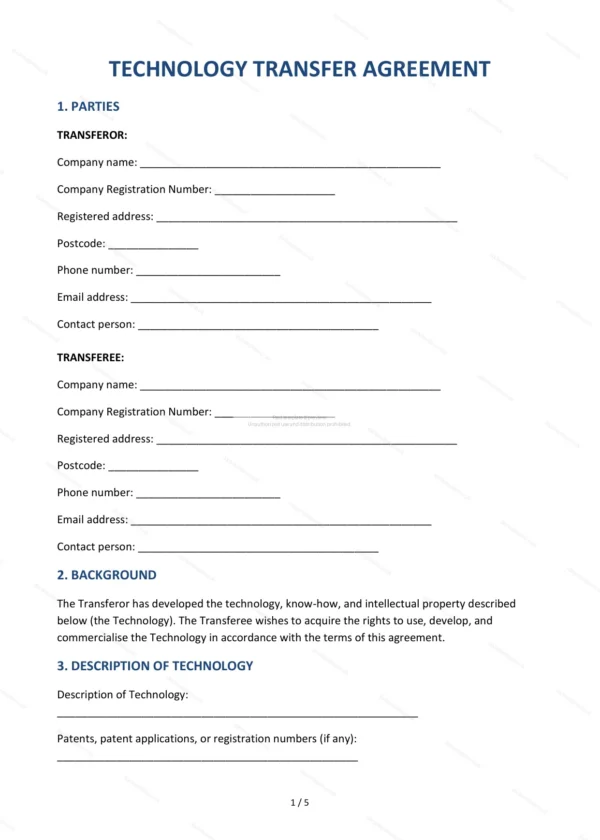
This Technology Transfer Agreement governs the transfer of technology, know-how and related intellectual property from one party to another. It covers the rights transferred, technical assistance, consideration and improvements, making it ideal for businesses, research bodies and inventors moving technology in England and Wales.
Who is this template for?
It is designed for technology owners, developers, research organisations and businesses acquiring or licensing technology and know-how. It suits transactions involving the transfer of technical knowledge alongside intellectual property rights.
What does the template include?
The agreement is fully structured and covers the key terms of a technology transfer:
- Parties — the transferor and the transferee.
- Background — context and purpose of the transfer.
- Description of Technology — the technology being transferred.
- Transfer of Rights — the rights and scope transferred.
- Technical Assistance and Knowledge Transfer — support and training.
- Consideration — payment for the transfer.
- Improvements and Developments — ownership of later improvements.
- Intellectual Property Maintenance — maintaining the IP rights.
- Warranties — assurances about the technology.
- Confidentiality — protection of know-how.
- Further Assurance — cooperation to complete the transfer.
- Term and Termination — duration and ending the agreement.
- Liability — caps and exclusions on liability.
- Governing Law — England and Wales jurisdiction.
- Entire Agreement — the contract as the complete agreement.
- Signatures — execution by both parties.
Easy to customise
The template works in Microsoft Word, Google Docs and LibreOffice. Simply fill in the highlighted fields, tick the relevant checkboxes and edit any clauses to suit your arrangement. No special software is required.
Format and scope
The document downloads as an editable Word (.docx) file and a ready-to-print PDF, formatted to A4. It is drafted for use in England and Wales with light, general legal references.
How to edit the template
- Download the DOCX file after purchase
- Open it in Word, Google Docs, LibreOffice or another DOCX editor
- Fill in the parties' details in the marked fields
- Edit the terms and text to match what has been agreed
- Print it for signing or send it digitally