 1 /
4
1 /
4
Trade Secrets Agreement — Word & PDF Template
A UK trade secrets agreement protecting confidential trade secrets, covering definitions, recipient obligations, security measures, remedies and duration.
incl. VAT
Compatible with:
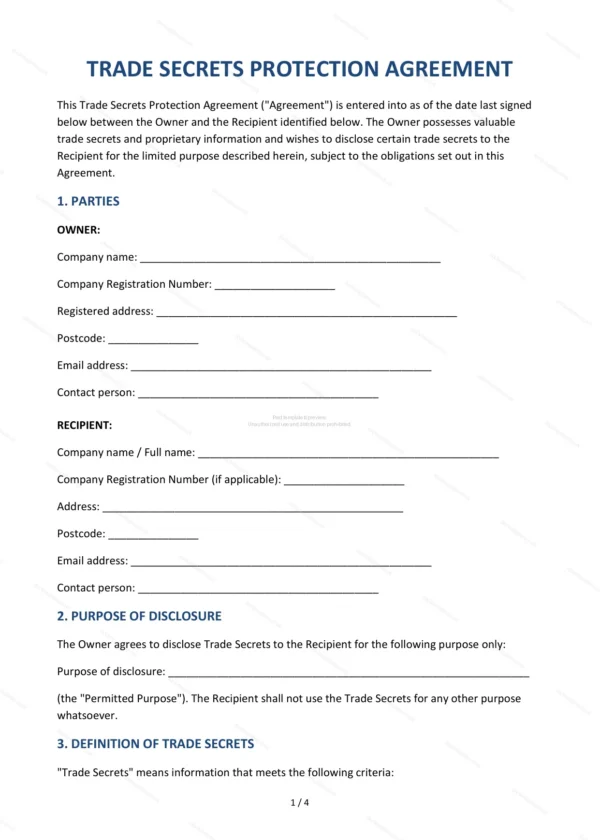
This Trade Secrets Agreement protects valuable confidential information disclosed between parties. It defines what counts as a trade secret, the recipient’s obligations, security measures and remedies for misuse, making it ideal for businesses sharing sensitive know-how in England and Wales.
Who is this template for?
It is designed for businesses, inventors and partners who need to protect trade secrets and confidential know-how when sharing them with employees, contractors or commercial partners. It goes further than a basic NDA in addressing trade-secret protection specifically.
What does the template include?
The agreement is fully structured and covers the key terms of trade-secret protection:
- Parties — the disclosing party and the recipient.
- Purpose of Disclosure — why the information is shared.
- Definition of Trade Secrets — what is protected as a trade secret.
- Obligations of the Recipient — duties to keep secrets confidential.
- Security Measures — safeguards for the information.
- Exclusions — information not treated as secret.
- Misappropriation and Remedies — remedies for misuse.
- Duration of Obligations — how long obligations last.
- Return and Destruction — returning or destroying information.
- No Licence or Rights Granted — no transfer of ownership.
- Permitted Disclosure to Legal Advisers — disclosure to advisers.
- Governing Law — England and Wales jurisdiction.
- Signatures — execution by both parties.
Easy to customise
The template works in Microsoft Word, Google Docs and LibreOffice. Simply fill in the highlighted fields, tick the relevant checkboxes and edit any clauses to suit your arrangement. No special software is required.
Format and scope
The document downloads as an editable Word (.docx) file and a ready-to-print PDF, formatted to A4. It is drafted for use in England and Wales with light, general legal references.
How to edit the template
- Download the DOCX file after purchase
- Open it in Word, Google Docs, LibreOffice or another DOCX editor
- Fill in the parties' details in the marked fields
- Edit the terms and text to match what has been agreed
- Print it for signing or send it digitally