 1 /
3
1 /
3
Tenancy at Will — Word & PDF Template
A UK tenancy at will allowing flexible occupation that either party can end at any time, covering the premises, occupation, rent and termination.
incl. VAT
Compatible with:
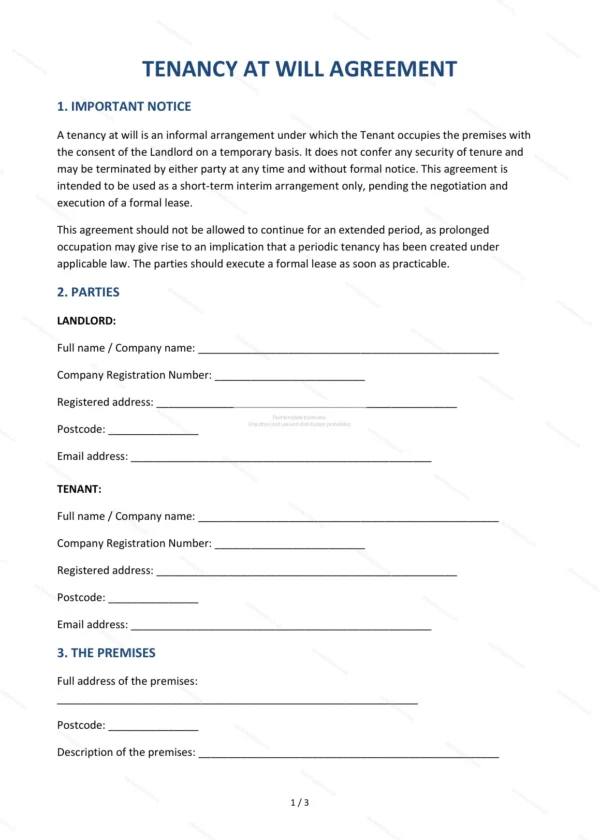
This Tenancy at Will allows a person to occupy premises on a flexible basis that either party can bring to an end at any time. It is commonly used as a short-term or holding arrangement, for example while a longer lease is negotiated, making it ideal for landlords and occupiers in England and Wales.
Who is this template for?
It is designed for landlords and occupiers who need a flexible, no-fixed-term occupation arrangement, such as allowing early access before a lease completes or a short holdover. It deliberately avoids creating security of tenure.
What does the template include?
The document is fully structured and covers the key terms of a tenancy at will:
- Important Notice — guidance on the nature of the arrangement.
- Parties — the landlord and the occupier.
- The Premises — the premises being occupied.
- Nature of Occupation — the at-will basis of occupation.
- Period of Occupation — the flexible, terminable period.
- Licence Fee / Rent — any fee or rent payable.
- Tenant’s Obligations — use and care of the premises.
- Utilities and Outgoings — responsibility for bills and outgoings.
- Termination — ending the arrangement at any time.
- Governing Law — England and Wales jurisdiction.
- Signatures — execution by both parties.
Easy to customise
The template works in Microsoft Word, Google Docs and LibreOffice. Simply fill in the highlighted fields, tick the relevant checkboxes and edit any clauses to suit your arrangement. No special software is required.
Format and scope
The document downloads as an editable Word (.docx) file and a ready-to-print PDF, formatted to A4. It is drafted for use in England and Wales with light, general legal references.
How to edit the template
- Download the DOCX file after purchase
- Open it in Word, Google Docs, LibreOffice or another DOCX editor
- Fill in the parties' details in the marked fields
- Edit the terms and text to match what has been agreed
- Print it for signing or send it digitally