 1 /
4
1 /
4
Boundary Agreement — Word & PDF Template
Boundary agreement template for neighbours to record an agreed boundary line, ownership of features and any encroachments under England & Wales law.
incl. VAT
Compatible with:
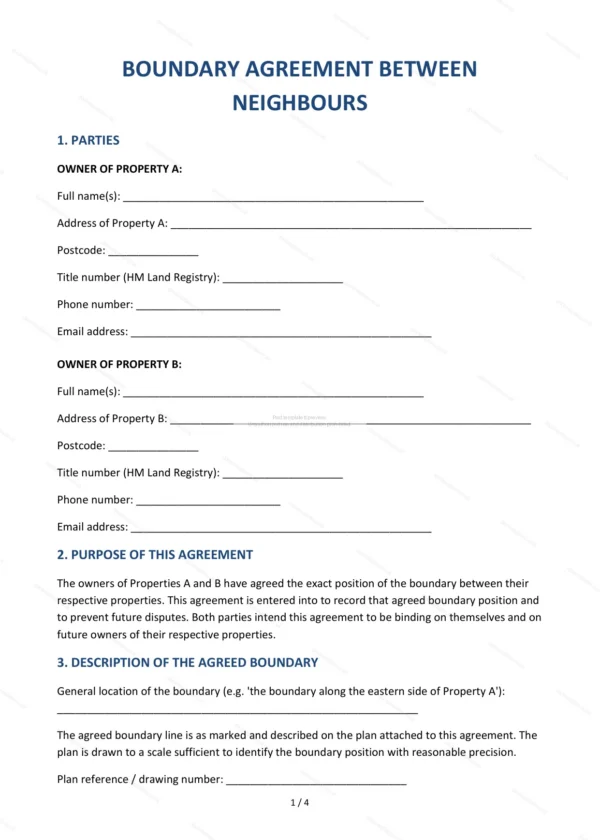
This boundary agreement lets neighbouring landowners record the agreed position of a shared boundary and who is responsible for the features along it. It helps settle uncertainty and prevent future disputes between adjoining properties.
Who is this template for?
It suits neighbouring homeowners and landowners in England and Wales who want to confirm where a boundary runs and resolve questions about fences, walls or hedges. Use it to document an agreement reached between adjoining owners.
What does the template include?
The agreement is organised into clearly numbered clauses:
- Parties — identifies the adjoining owners.
- Purpose of this agreement — why it is being entered into.
- Description of the agreed boundary — the agreed line.
- Ownership of boundary features — fences, walls and hedges.
- Encroachments — dealing with any overstepping.
- Binding effect — effect on the parties and successors.
- Consideration — any value exchanged.
- Plan — reference to an attached plan.
- Governing law — England and Wales jurisdiction.
- Signatures — execution by both parties.
Easy to customise
The template works in Microsoft Word, Google Docs and LibreOffice. Fill in the highlighted fields, attach a plan of the boundary and remove anything that does not apply.
Format and scope
Supplied as an editable Word (.docx) file and a ready-to-print PDF, formatted to A4. Written in plain British English with light, general references to England & Wales law.
How to edit the template
- Download the DOCX file after purchase
- Open it in Word, Google Docs, LibreOffice or another DOCX editor
- Fill in the parties' details in the marked fields
- Edit the terms and text to match what has been agreed
- Print it for signing or send it digitally