 1 /
4
1 /
4
Personal Loan Agreement — Word & PDF Template
Personal loan agreement between individuals, recording the loan amount, interest, repayment schedule, late payment and security — ideal for friends, family or private loans.
incl. VAT
Compatible with:
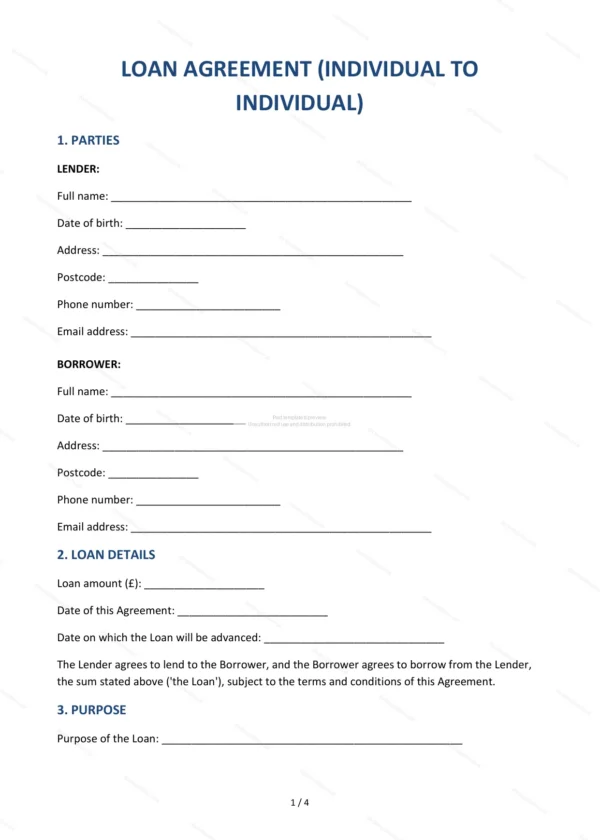
This Personal Loan Agreement records the terms of a loan between individuals in England and Wales. It puts a private loan in writing — covering the amount, any interest, repayment dates and what happens if payments are missed — so both sides are clear on the arrangement.
Who is this template for?
Ideal for people lending to or borrowing from friends, family or acquaintances who want a fair, written record of a private loan rather than relying on an informal understanding.
What does the template include?
The agreement is organised into clearly numbered sections:
- Parties — the lender and borrower.
- Loan Details — the amount lent.
- Purpose — what the loan is for.
- Interest — any interest charged (or that the loan is interest-free).
- Repayment — the repayment schedule.
- Late Payment — consequences of missed payments.
- Security — any security for the loan.
- Events of Default — circumstances allowing recovery.
- Governing Law — England & Wales jurisdiction.
- Entire Agreement — the whole agreement between the parties.
- Signatures — execution by the parties.
Easy to customise
The template works in Microsoft Word, Google Docs and LibreOffice. Fill in the highlighted fields, choose whether interest applies and adjust the repayment terms before signing.
Format and scope
Provided as an editable Word (.docx) file and a ready-to-print PDF in A4 size, drafted for use in England and Wales.
How to edit the template
- Download the DOCX file after purchase
- Open it in Word, Google Docs, LibreOffice or another DOCX editor
- Fill in the parties' details in the marked fields
- Edit the terms and text to match what has been agreed
- Print it for signing or send it digitally