DOCX or PDF? Choosing the Right File to Send, Sign and Keep
Every template we sell comes as both a Word document and a PDF, and the most common question we get is which one to actually send. It is a better question than it looks. The file format decides whether the other party can edit the text, whether the layout survives the journey, whether the document prints correctly, and — after signature — whether you can prove what was agreed.
Here is the practical answer, stage by stage.
What each format is actually good at
DOCX and PDF are not competing versions of the same thing. One is a working file and one is a finished file, and almost every mistake with them comes from using a working file where a finished one belonged, or the reverse.
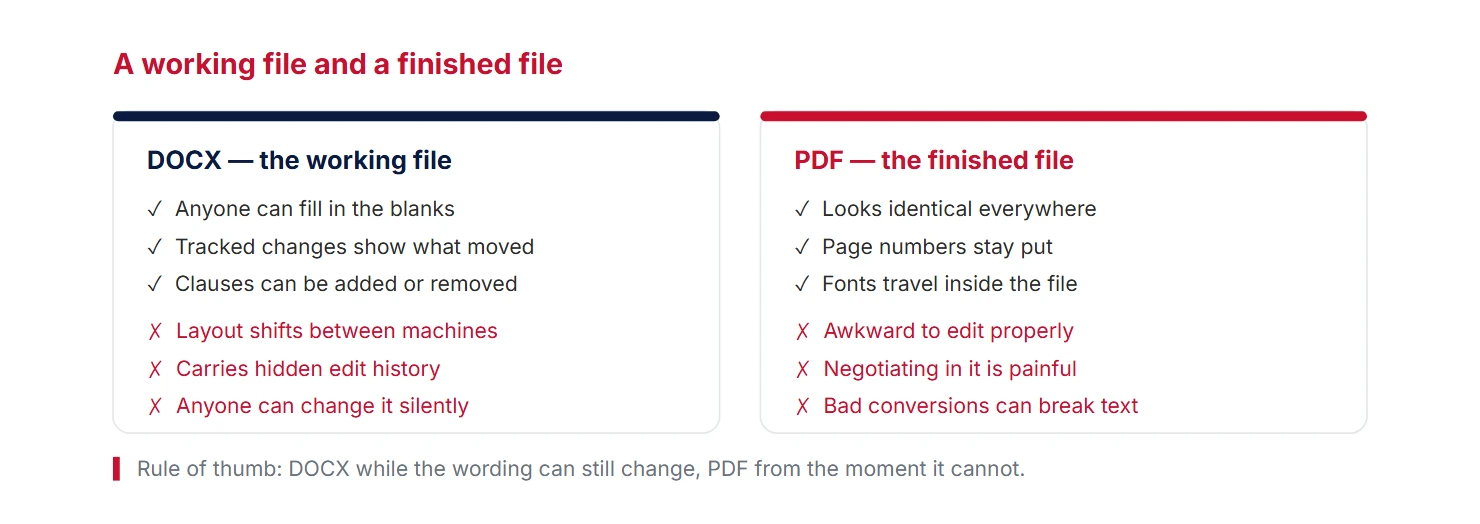
The decision, in one path
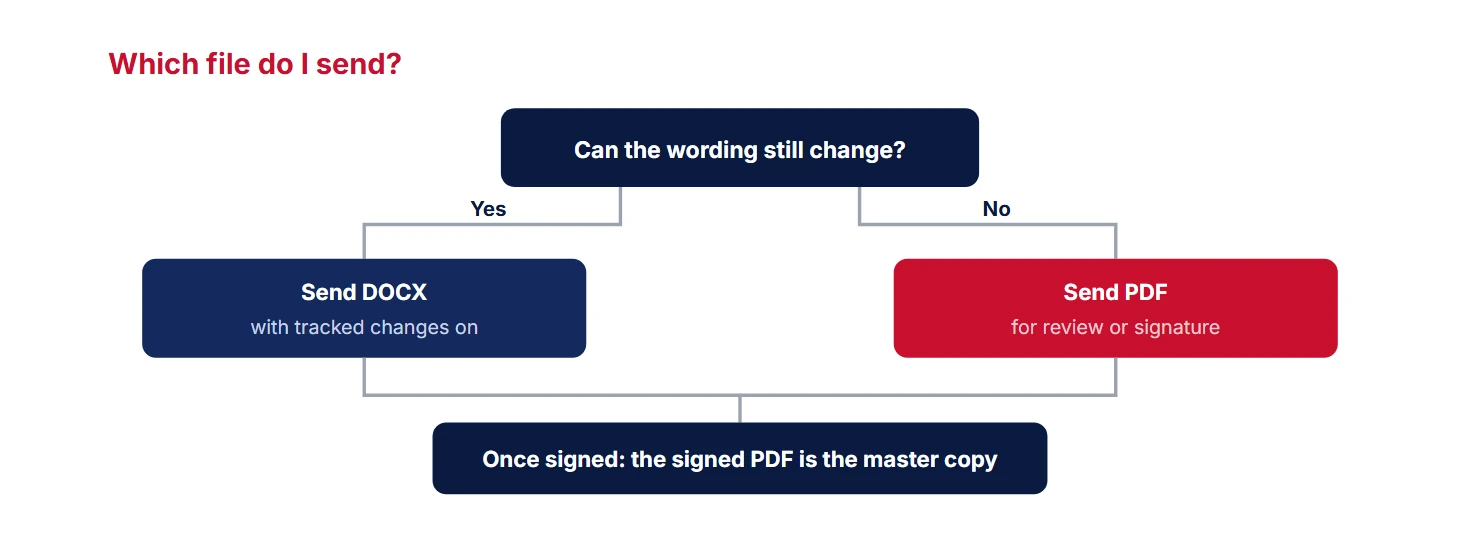
Ask one question — can the wording still change? — and the answer falls out.
Why sending a DOCX to sign is a bad habit
It feels helpful — “here it is, just add your details” — but it creates three problems at once. The recipient can change any clause without telling you, and Word gives no visible sign that they did. Their copy may repaginate on their machine, so “clause 7 on page 4” is no longer where you think it is. And whichever version comes back, you now have two files with the same name and no way of telling from the outside which is the agreed one. When you do re-read a returned draft, the anatomy of a contract sets out which sections deserve the attention.
The fix costs nothing: negotiate in DOCX with tracked changes visible, then export to PDF for the signature step.
Four things that break in the DOCX-to-PDF export
Exporting is usually one click, but it is also the moment a document quietly changes shape. Check these four before you send.
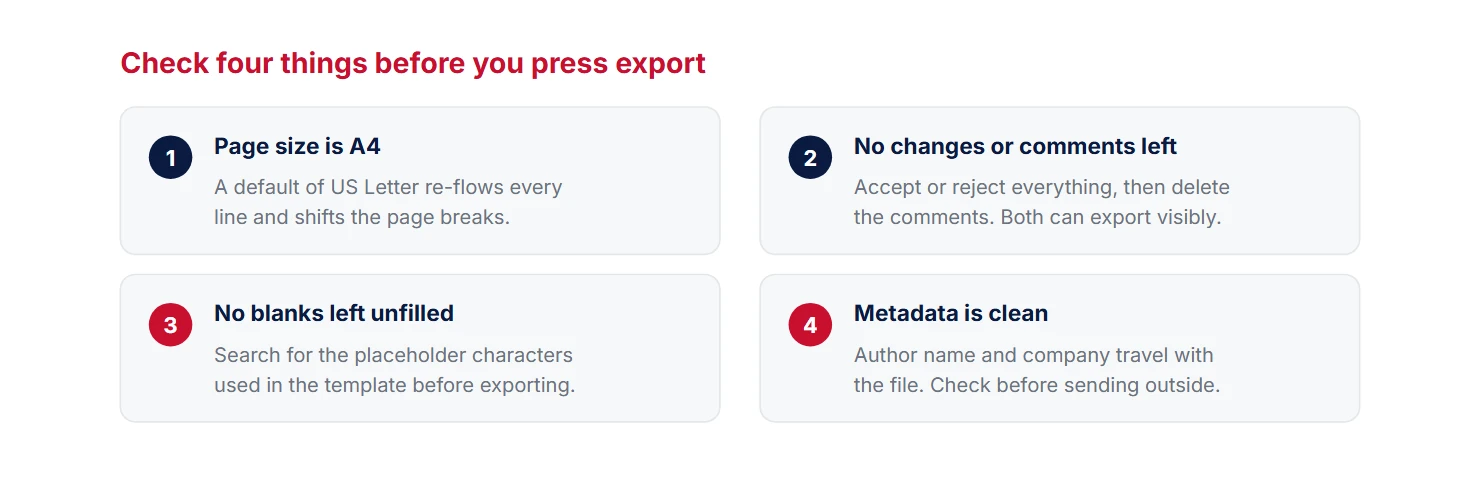
The blank-space trap
Point three deserves its own paragraph, because it is the single most common defect in a sent contract. Templates use placeholders — square brackets, underscores, a row of dots — and one always survives. It is usually in a schedule, an annex, or a signature block on the last page, because that is where attention runs out.
Before you export, use your word processor’s find function on the placeholder character itself. Searching for an opening square bracket takes two seconds and catches every one of them. Do the same search on the exported PDF as a second pass: PDF readers can search too, and a placeholder that got through is far cheaper to find before signature than after.
Which file do you keep?
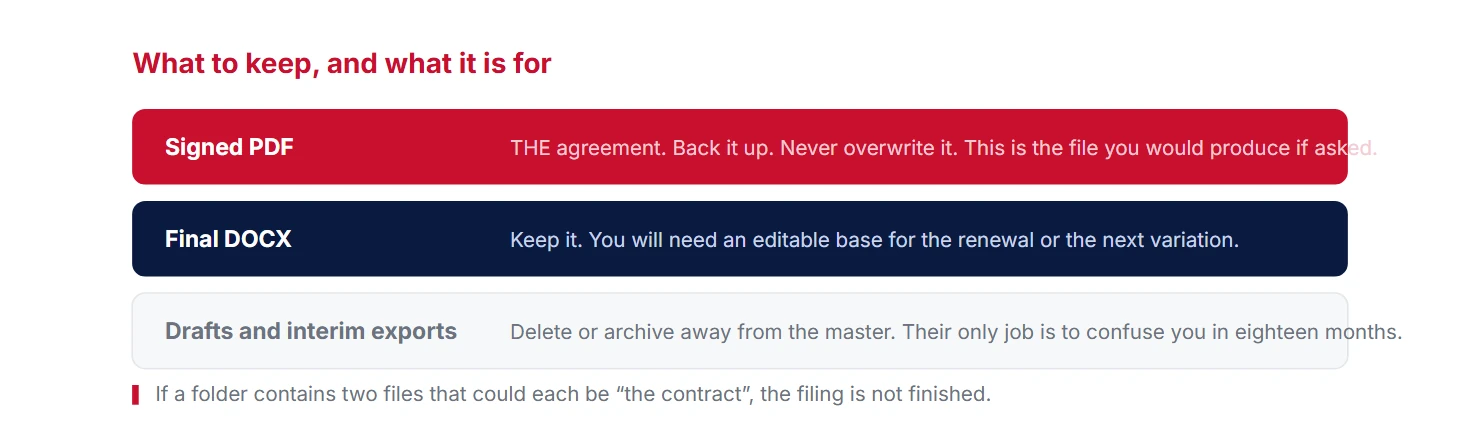
After signature you will have several files: the original template, your edited DOCX, an exported PDF, and a signed PDF or scan. Only one of them is the agreement. The rest are working papers.
Printing and scanning, if you go that route
Plenty of agreements are still signed on paper — though often they need not be, as our guide to electronic signatures explains — and the scan is what everybody ends up relying on. Three things make a scan usable rather than merely legible: scan the whole document, not just the signature page; scan at 300 dpi in colour, so that a blue ink signature is visibly ink rather than a grey smudge; and produce a single multi-page PDF rather than eleven separate images.
If both sides sign separate copies, keep both scans together as one file. A contract signed in counterparts is only complete when the counterparts are in the same place.
How our templates are packaged
Every purchase gives you both files: a Word document set to A4 with real styles, so it edits and repaginates cleanly, and a matching PDF for when you want to send something fixed without opening Word at all. Short documents like a one-way NDA or a bill of sale are often sent straight as the PDF. Longer ones — a master services agreement, a shareholders’ agreement — usually start life as the DOCX and become a PDF at the end. Both are included either way; browse the range in the template library.
The short version
- DOCX while the wording can change; PDF the moment it cannot.
- Never send an editable file for signature — you lose control of the text.
- Before exporting: A4, no tracked changes, no blanks, clean metadata.
- Search for the placeholder character. It takes two seconds and always finds one.
- The signed PDF is the agreement. The DOCX is a tool for next time.
- Scan in colour at 300 dpi, the whole document, as one file.
This guide covers document handling and is general information, not legal advice.
Need a template?
Browse our 100+ document templates. Download and edit to suit your needs.
View all templates →