 1 /
4
1 /
4
Memorandum of Sale — Word & PDF Template
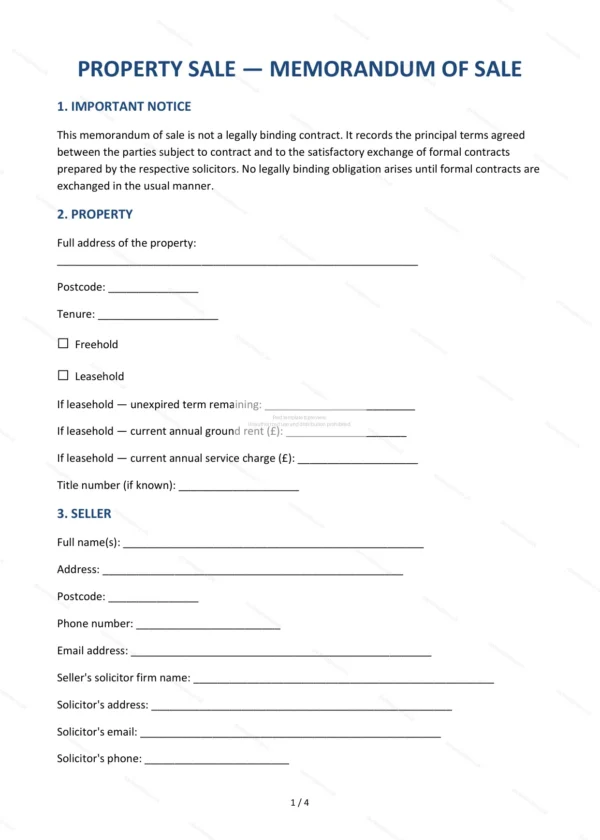
Memorandum of sale recording the agreed (subject to contract) terms of a property sale, with details of the property, parties, agent, price, finance and chain.
incl. VAT
Compatible with:
This Memorandum of Sale records the key agreed terms once a property sale has been agreed, subject to contract, in England and Wales. It is the document an estate agent typically issues to confirm the deal and set the conveyancing process in motion.
Who is this template for?
Used by estate agents, sellers and buyers to confirm a residential property sale before contracts are exchanged, and to give both sides’ solicitors the details they need to proceed.
What does the template include?
The memorandum is organised into clear sections:
- Important Notice — that the sale is subject to contract and not binding.
- Property — the address and details of the property.
- Seller — the seller and their solicitor.
- Buyer — the buyer and their solicitor.
- Estate Agent — the agent handling the sale.
- Agreed Terms (Subject to Contract) — the price and key terms.
- Mortgage and Finance — the buyer’s funding position.
- Chain Information — any related sales or purchases.
- Special Conditions — anything specific to this sale.
- Anti-Money Laundering — identity and source-of-funds checks.
- Governing Law — England & Wales jurisdiction.
- Acknowledgement — confirmation by the parties.
Easy to customise
The template works in Microsoft Word, Google Docs and LibreOffice. Fill in the highlighted fields with the property, parties and agreed terms before issuing it.
Format and scope
Provided as an editable Word (.docx) file and a ready-to-print PDF in A4 size, drafted for use in England and Wales.
How to edit the template
- Download the DOCX file after purchase
- Open it in Word, Google Docs, LibreOffice or another DOCX editor
- Fill in the parties' details in the marked fields
- Edit the terms and text to match what has been agreed
- Print it for signing or send it digitally