 1 /
5
1 /
5
SaaS Agreement — Word & PDF Template
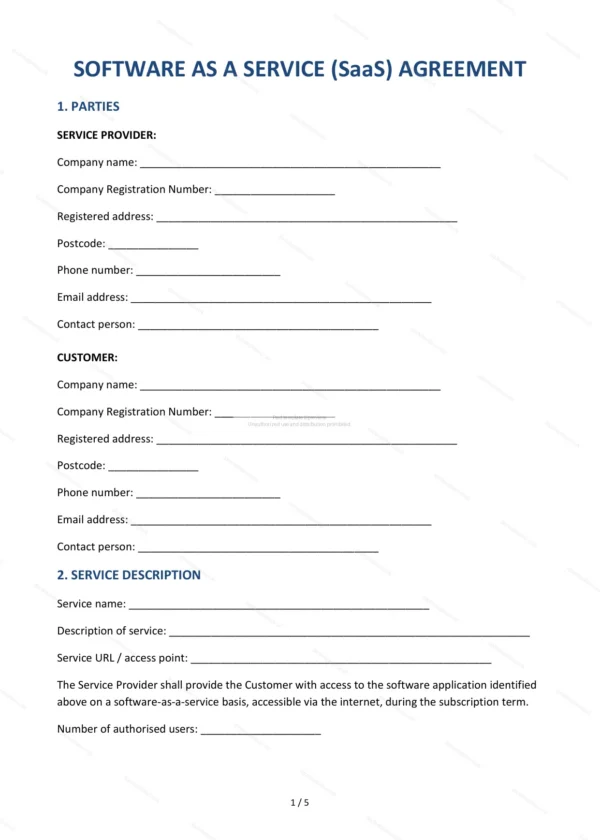
Software-as-a-service (SaaS) agreement for cloud software subscriptions, covering the service description, fees, uptime, acceptable use, customer data and data processing.
incl. VAT
Compatible with:
This SaaS Agreement governs the supply of cloud-based software on a subscription basis to a customer in England and Wales. It covers the service, fees, availability, acceptable use and the all-important data protection terms for a software-as-a-service relationship.
Who is this template for?
For SaaS providers and software vendors selling subscription access to their platform, and for customers signing up to such services who want clear, fair terms on uptime, data and use.
What does the template include?
The agreement is organised into clearly numbered sections:
- Parties — the provider and the customer.
- Service Description — what the software does.
- Subscription Term — the length of the subscription.
- Subscription Fees — charges and payment terms.
- Service Availability and Uptime — service levels.
- Access and User Accounts — how users access the service.
- Acceptable Use — permitted and prohibited use.
- Customer Data — ownership and handling of data.
- Data Processing — UK GDPR data processing terms.
- Intellectual Property — ownership of the software and IP.
- Confidentiality — protection of information.
- Warranties and Liability — warranties and limits.
- Suspension and Termination — suspending or ending the service.
- Governing Law — England & Wales jurisdiction.
- Entire Agreement — the whole agreement.
- Signatures — execution by the parties.
Easy to customise
The template works in Microsoft Word, Google Docs and LibreOffice. Fill in the highlighted fields, set the fees and service levels and adjust the clauses before signing.
Format and scope
Provided as an editable Word (.docx) file and a ready-to-print PDF in A4 size, drafted for use in England and Wales.
How to edit the template
- Download the DOCX file after purchase
- Open it in Word, Google Docs, LibreOffice or another DOCX editor
- Fill in the parties' details in the marked fields
- Edit the terms and text to match what has been agreed
- Print it for signing or send it digitally