 1 /
4
1 /
4
Lodger Agreement — Word & PDF Template
Lodger (excluded licence) agreement for a live-in landlord renting a room to a lodger, covering the licence fee, deposit, notice, house rules and end of the licence.
incl. VAT
Compatible with:
This Lodger Agreement is for a resident landlord who rents a room in their own home to a lodger in England and Wales. Because the landlord lives in the property, it is an excluded licence rather than a tenancy, and the document is written to reflect that.
Who is this template for?
Designed for homeowners and live-in landlords letting a spare room, including those using the Rent a Room scheme, who want clear terms on rent, deposit, notice and house rules.
What does the template include?
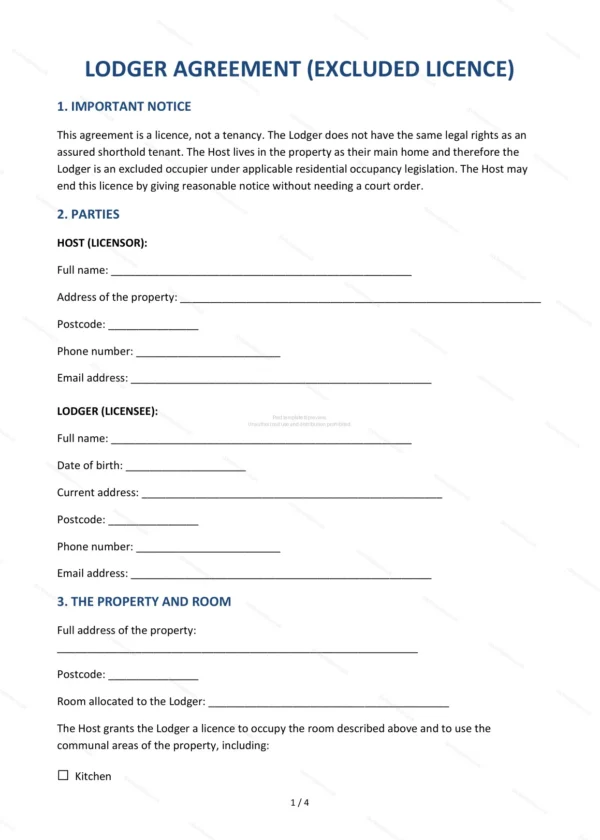
The agreement is organised into clear sections:
- Important Notice — explanation that this is a licence, not a tenancy.
- Parties — the host and the lodger.
- The Property and Room — the home and the room provided.
- Licence Period — the length of the arrangement.
- Licence Fee — the rent payable.
- Deposit — any deposit and how it is held.
- Notice to End the Licence — how either side ends the arrangement.
- Lodger’s Obligations — the lodger’s responsibilities.
- Host’s Obligations — the host’s responsibilities.
- House Rules — practical rules for shared living.
- End of Licence — what happens when the lodger leaves.
- Governing Law — England & Wales jurisdiction.
- Signatures — execution by the parties.
Easy to customise
The template works in Microsoft Word, Google Docs and LibreOffice. Fill in the highlighted fields, set the rent and notice period and adjust the house rules before signing.
Format and scope
Provided as an editable Word (.docx) file and a ready-to-print PDF in A4 size, drafted for use in England and Wales.
How to edit the template
- Download the DOCX file after purchase
- Open it in Word, Google Docs, LibreOffice or another DOCX editor
- Fill in the parties' details in the marked fields
- Edit the terms and text to match what has been agreed
- Print it for signing or send it digitally