 1 /
5
1 /
5
Property Inventory and Schedule of Condition — Word & PDF Template
Property inventory and schedule of condition for a tenancy, recording meter readings, keys, room-by-room contents and condition at check-in, with space for photographs.
incl. VAT
Compatible with:
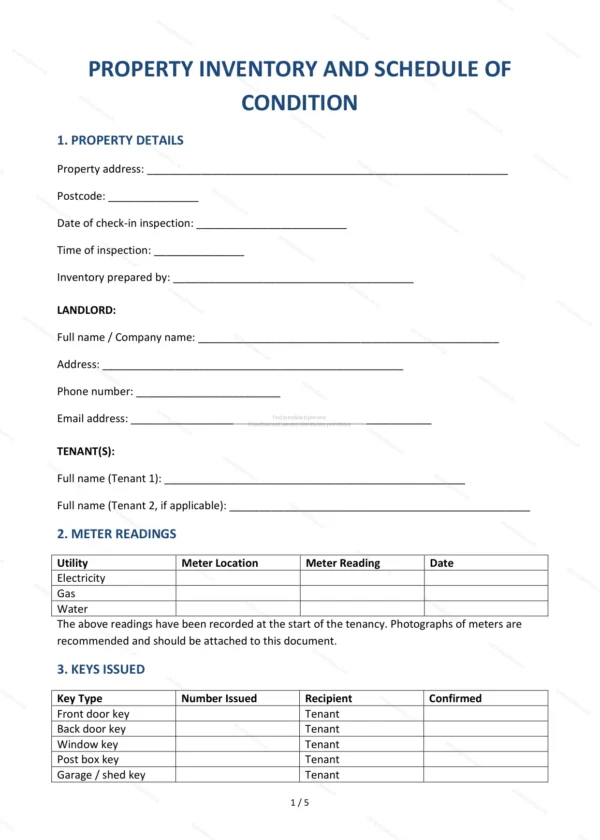
This Property Inventory and Schedule of Condition records the contents and condition of a rented property at the start of a tenancy in England and Wales. A clear inventory helps landlords and tenants avoid disputes over the deposit at the end of the tenancy.
Who is this template for?
For landlords, letting agents and tenants who want an accurate, agreed record of the property’s condition, fixtures and contents at check-in (and to compare at check-out).
What does the template include?
The inventory is organised into clear sections:
- Property Details — the address and tenancy details.
- Meter Readings — gas, electricity and water readings.
- Keys Issued — keys and access devices handed over.
- General Condition of Property — overall condition notes.
- Room-by-Room Inventory and Condition — contents and state of each room.
- Additional Items and Notes — anything extra to record.
- Photographs — space to reference supporting photos.
- Governing Law — England & Wales jurisdiction.
- Agreement — sign-off by landlord and tenant.
Easy to customise
The template works in Microsoft Word, Google Docs and LibreOffice. Fill in the highlighted fields, complete the room-by-room schedule and attach photographs before both parties sign.
Format and scope
Provided as an editable Word (.docx) file and a ready-to-print PDF in A4 size, drafted for use in England and Wales.
How to edit the template
- Download the DOCX file after purchase
- Open it in Word, Google Docs, LibreOffice or another DOCX editor
- Fill in the parties' details in the marked fields
- Edit the terms and text to match what has been agreed
- Print it for signing or send it digitally