 1 /
5
1 /
5
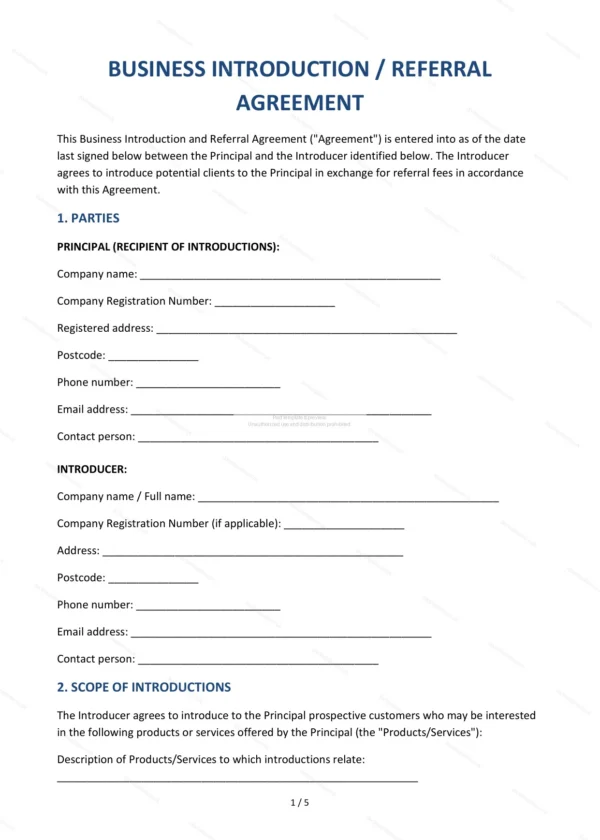
Referral Agreement — Word & PDF Template
Referral agreement setting out how an introducer refers customers to a business in return for referral fees, covering scope, fees, exclusivity and confidentiality.
incl. VAT
Compatible with:
This Referral Agreement sets out the terms on which an introducer refers potential customers to a business in return for a referral fee in England and Wales. It clarifies what counts as a qualifying introduction and how fees are calculated and paid.
Who is this template for?
For businesses that pay for introductions and the individuals or companies that provide them — such as affiliate partners, agents and professional contacts who refer leads or clients.
What does the template include?
The agreement is organised into clearly numbered sections:
- Parties — the introducer and the principal.
- Scope of Introductions — what counts as a referral.
- Introducer’s Obligations — the introducer’s responsibilities.
- Principal’s Obligations — the business’s responsibilities.
- Referral Fees — how fees are calculated and paid.
- Exclusions — referrals that do not qualify.
- Independence of the Introducer — that they are not an agent.
- Exclusivity — any exclusive arrangement.
- Confidentiality — protection of information.
- Term and Termination — duration and ending.
- Limitation of Liability — caps and exclusions.
- Governing Law — England & Wales jurisdiction.
- Signatures — execution by the parties.
Easy to customise
The template works in Microsoft Word, Google Docs and LibreOffice. Fill in the highlighted fields, set the fee structure and adjust the clauses before signing.
Format and scope
Provided as an editable Word (.docx) file and a ready-to-print PDF in A4 size, drafted for use in England and Wales.
How to edit the template
- Download the DOCX file after purchase
- Open it in Word, Google Docs, LibreOffice or another DOCX editor
- Fill in the parties' details in the marked fields
- Edit the terms and text to match what has been agreed
- Print it for signing or send it digitally