 1 /
5
1 /
5
Charity Grant Agreement — Word & PDF Template
Charity grant agreement setting out the purpose, payment, conditions, reporting and repayment terms between a funder and a grant recipient in England & Wales.
incl. VAT
Compatible with:
This charity grant agreement sets out the terms on which a funder provides a grant to a charity or recipient organisation. It records the purpose, payment schedule and reporting conditions so the money is used as intended and properly accounted for.
Who is this template for?
It suits grant-making trusts, foundations, funders and charities or community organisations receiving funding in England and Wales. Use it to govern restricted or project-based grants.
What does the template include?
The agreement is organised into clearly numbered clauses covering the grant:
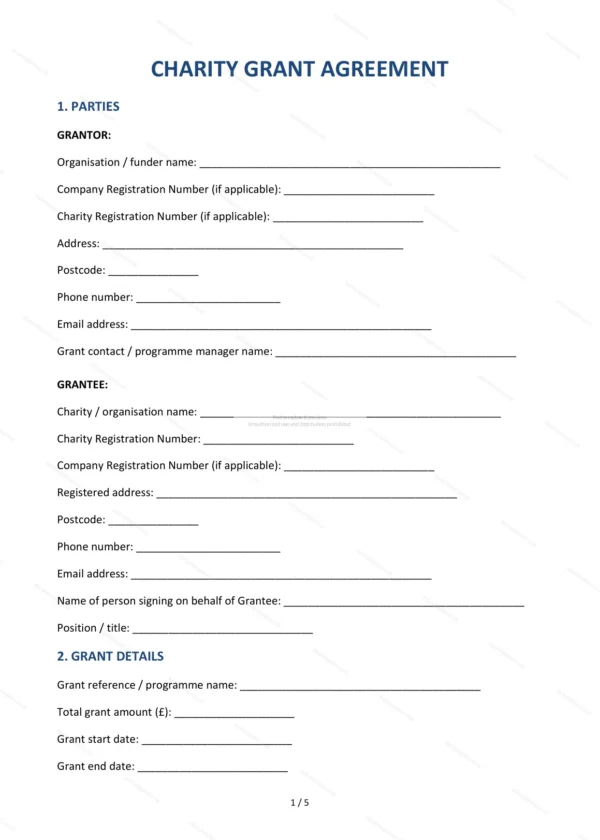
- Parties — identifies the funder and the recipient.
- Grant details — amount and key terms of the grant.
- Purpose of the grant — what the grant must be used for.
- Payment schedule — how and when funds are paid.
- Eligible expenditure — what the grant may be spent on.
- Conditions — conditions attaching to the grant.
- Reporting requirements — monitoring and reports.
- Underspend and variation — handling unspent funds and changes.
- Repayment — when the grant must be repaid.
- Acknowledgement and publicity — crediting the funder.
- Data protection — handling of personal data.
- Governing law — England and Wales jurisdiction.
- Signatures — execution by both parties.
Easy to customise
The template works in Microsoft Word, Google Docs and LibreOffice. Fill in the highlighted fields, set out the grant purpose and conditions and remove anything that does not apply.
Format and scope
Supplied as an editable Word (.docx) file and a ready-to-print PDF, formatted to A4. Written in plain British English with light, general references to England & Wales law.
How to edit the template
- Download the DOCX file after purchase
- Open it in Word, Google Docs, LibreOffice or another DOCX editor
- Fill in the parties' details in the marked fields
- Edit the terms and text to match what has been agreed
- Print it for signing or send it digitally